
The first one
One saved post comes back as a lesson: the summary, the transcript, and the source it came from. Already more than a bookmark.
Paste a link from any of 15 platforms. It comes back written down, sorted into a topic, and searchable months later.
First month free. Card at signup, nothing charged until day 31, cancel any time.
Also voice memos, photos, files, and your own notes
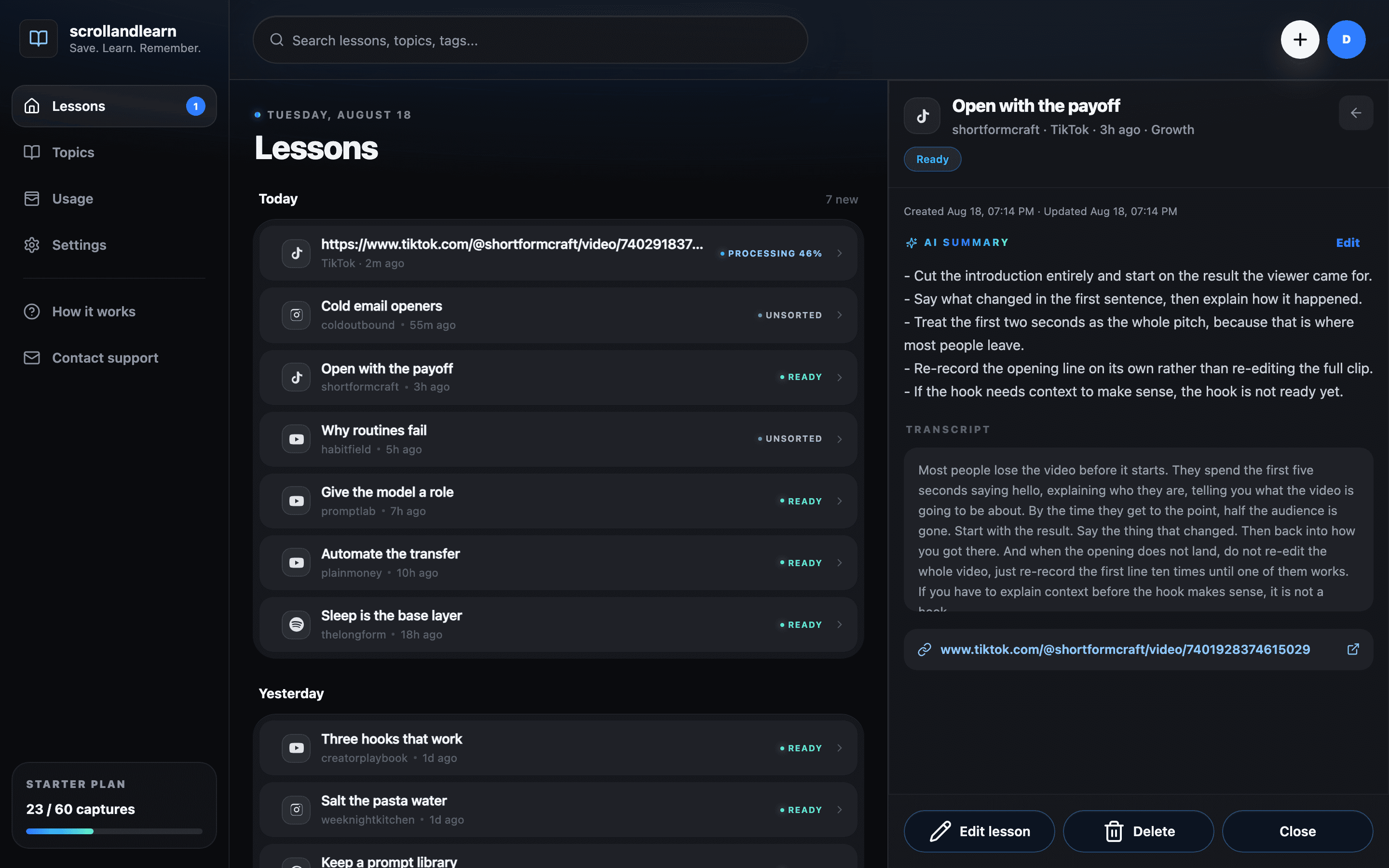
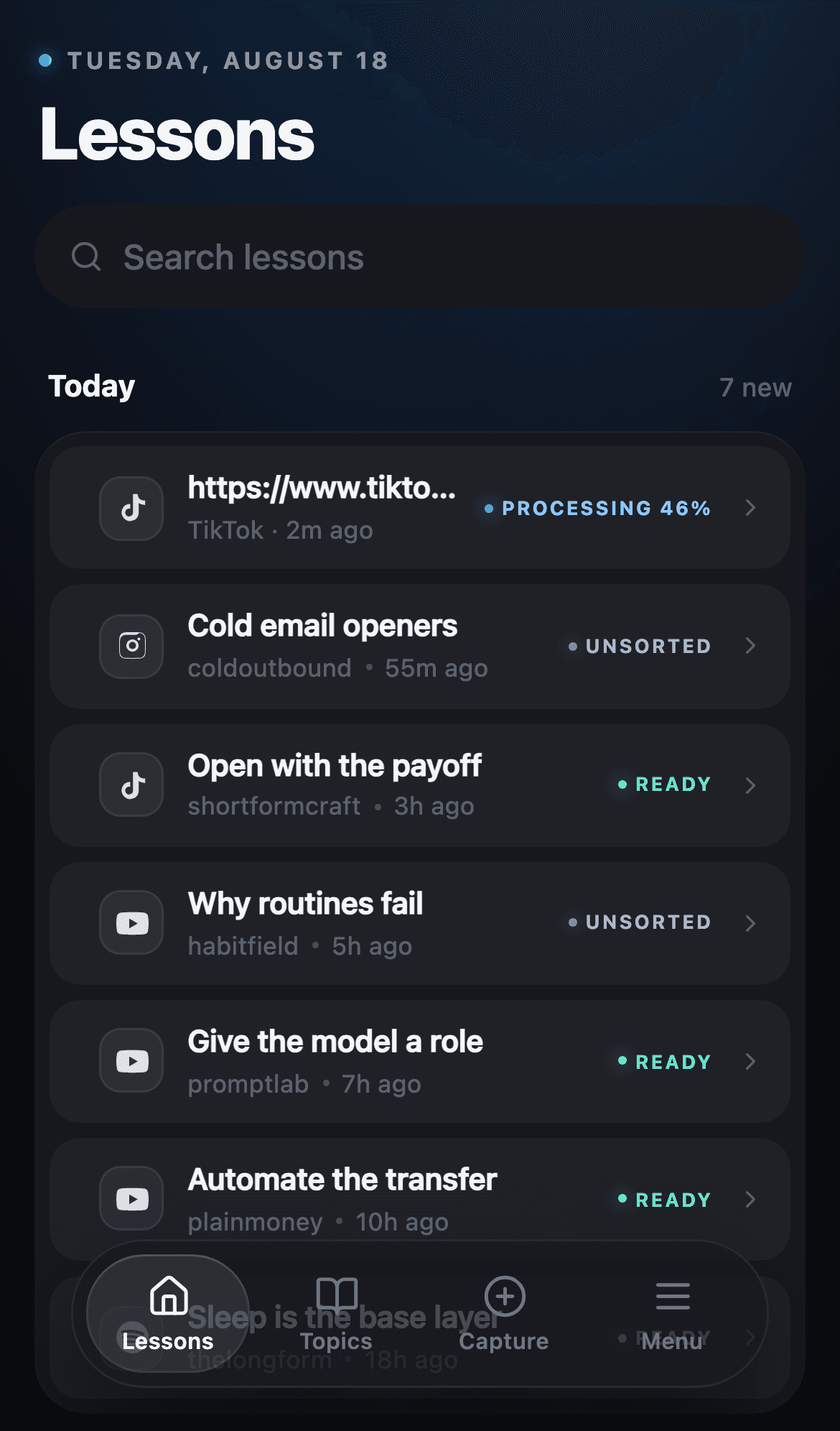
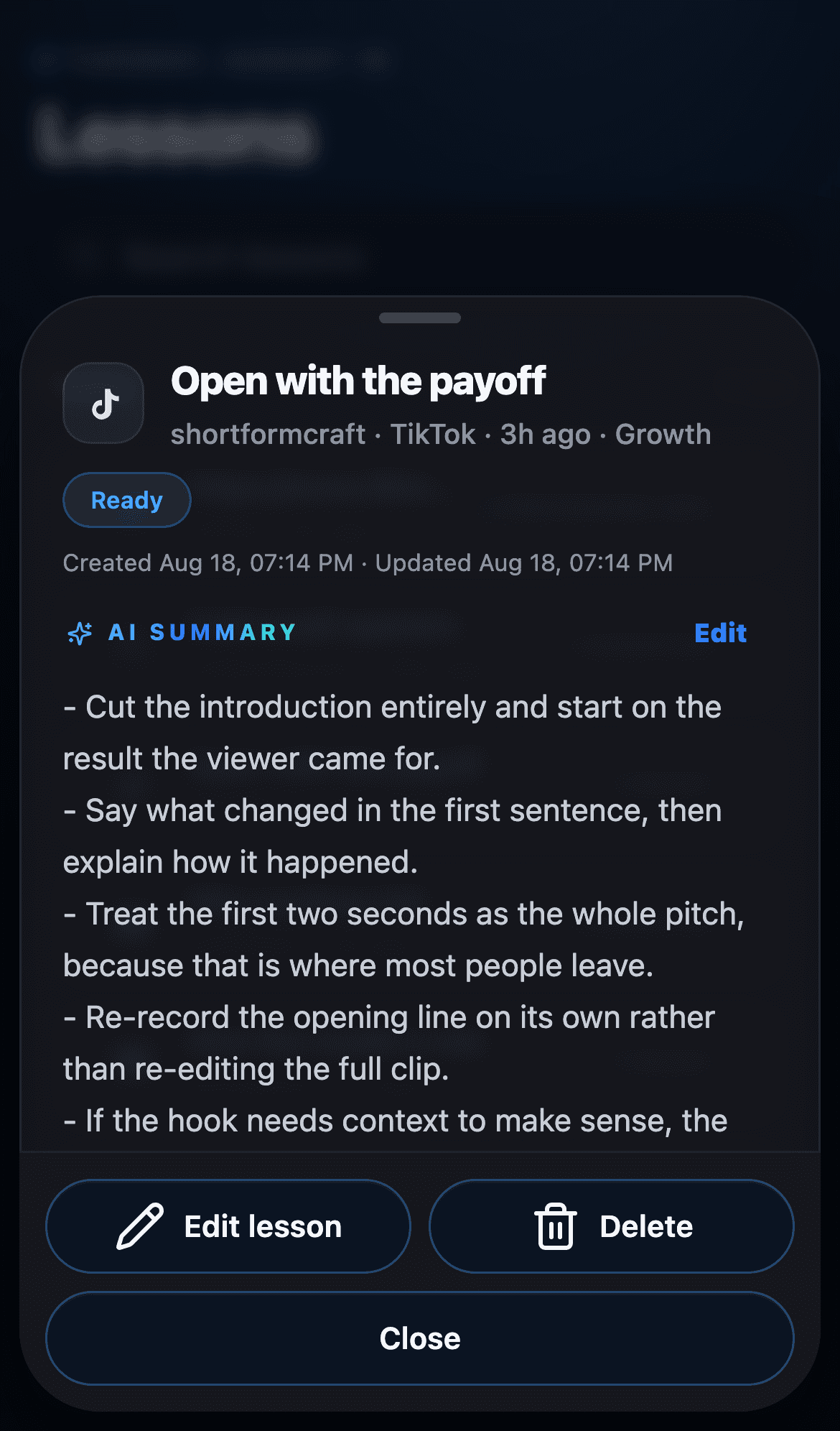
One post
Paste a post from social and it comes back transcribed and summarized: the key points in plain text, the full transcript under them, and a link to the original.
Many lessons
Lessons about the same thing, grouped and named for you: Growth, Money habits, AI prompts. You never make a folder.
Every topic
All of your topics in one search box. You find the post from four months ago without remembering which app you saw it in.
scrollandlearn pulls the transcript, the caption, and the metadata, then hands back a lesson you read in 30 seconds, filed under the right topic.
15 platforms
Any public post, any of the 15
Copy the link from Instagram, TikTok, YouTube, LinkedIn, Reddit, Spotify, or any of the rest. The transcript comes back when the post is public, with a one-line summary and a topic already picked.
No folders to make
Every post lands in a topic on its own, and it shows you where it is going before it files it. Voice memos, photos, and files take the same path.
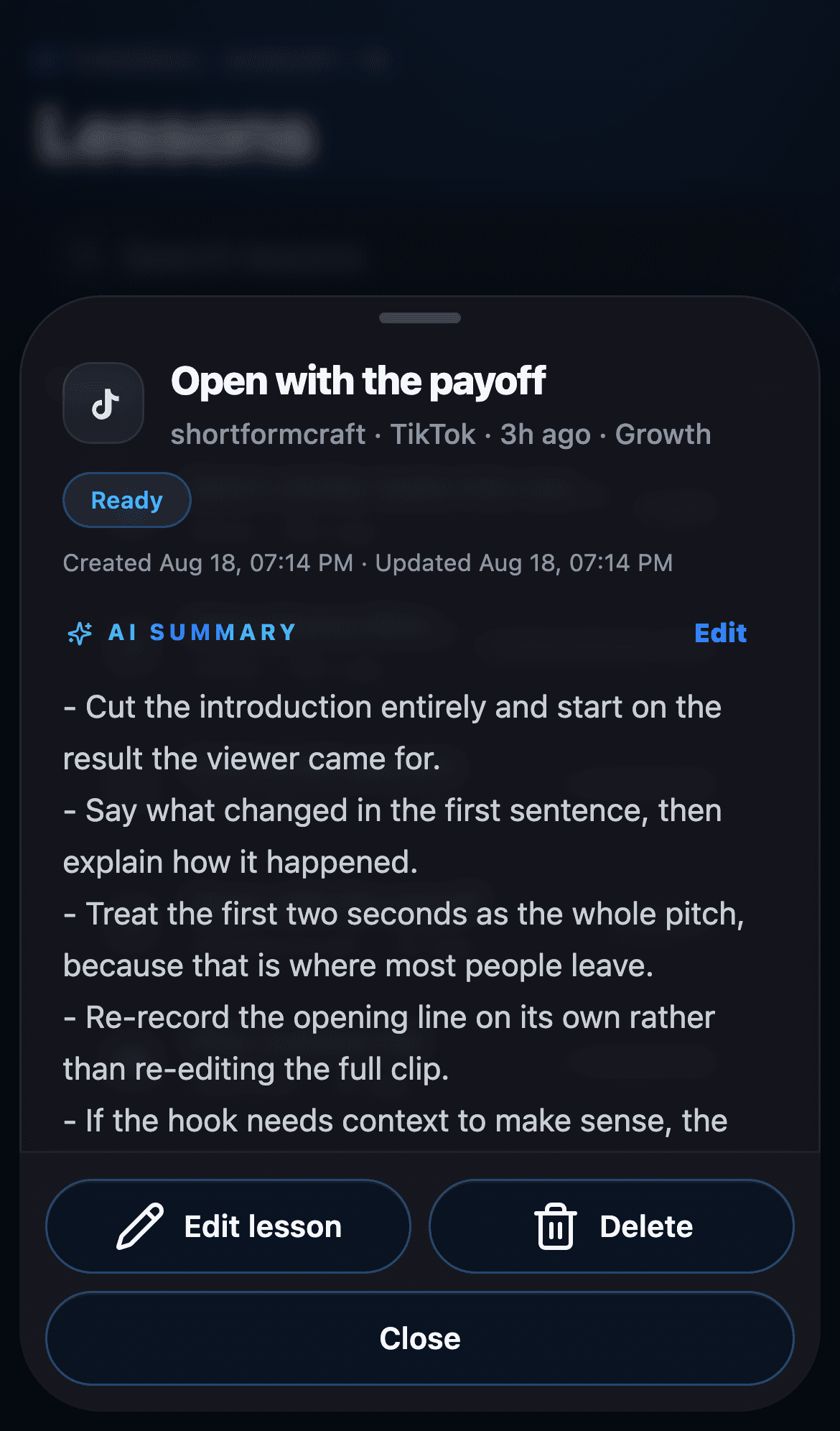
The whole product in one unbroken take: a post you would have lost, turned into something you can read and find again. Nothing here is a mockup.
Step 1 of 4
Copy a link
Instagram, TikTok, YouTube, X, Spotify, and ten more.
We paste links into it every day. So do the people we handed it to first.
“I kept sending myself links and never opening them again. Now the link comes back as something I can read in thirty seconds, and I actually do.”
“Stopped saving reels to a Notion graveyard. Everything I scroll is now a 30-second read in my handbook.”
“I threw a few hundred links at it while testing and it never once asked me to sort anything. The topics filled themselves.”
“I paste a link between meetings and forget about it. It is waiting for me later with the transcript, so I never watch the same thing twice.”
Your Saved folder only grows. A library compounds, because every post that goes in comes back readable, filed, and findable months later.
One saved post comes back as a lesson: the summary, the transcript, and the source it came from. Already more than a bookmark.
Topics start forming on their own, named after what you actually keep saving. You never sat down to organize anything.
You search your library instead of trying to remember which app you saw it in. That is the part a Saved folder never reaches.
You can get to the same place without us. Here is what that costs, and what you would be wiring together to do it.
| Feature | scrollandlearnThat's usOne subscription | Build your ownWhisper + GPT + n8n | Transcription appsOtter + Trint + Notion AI + Readwise | Manual workflowNotion + ChatGPT |
|---|---|---|---|---|
| Automatic transcript for audio and video | Yes | Yes | Yes | No |
| AI summary of every post you save | Yes | Yes | No | No |
| Files itself under the right topic | Yes | No | No | No |
| Works with links from 15 platforms | Yes | Partial | No | No |
| Keeps the original post attached | Yes | No | Yes | Yes |
| Search everything you ever saved | Yes | No | Yes | Yes |
| Zero setup, zero maintenance | Yes | No | Yes | No |
| Real monthly costto cover what we cover | $19.99first month free | $60-120 / mo+ 6-10 hrs setup, ongoing maintenance | $70-90 / mofour separate subscriptions | $45-65 / mo+ hours of manual sorting weekly |
Swipe to compare →
One tool, one subscription, $19.99 a month.
Start with a free month. Move up when your library outgrows 60 saves a month.
For the posts you already save and then forget.
$19.99 / mo
For a steady weekly habit, not just the odd link.
$49.99 / mo
For heavy research and big review weeks.
$149.99 / mo
Card at signup, nothing charged until day 31. Cancel any time from Settings then Billing and you never see a charge.
What you save, and everything written from it, stays inside your account. No lock-in and no small print on the way out.
What you save is never used to train AI models. Not yours, not anyone else's.
Deleting your account cancels the subscription, wipes your uploads, and removes the account itself.
Every lesson, topic, and upload is tied to your account and unreadable from any other.
Uploaded media sits in a private bucket, never behind a public URL.
The short version: paste a link, it gets written up, and you find it again months later.
If you save more than 5 things a week from any feed you scroll, Instagram and TikTok to YouTube, LinkedIn, Reddit and Spotify, and forget half of them, yes. It is built for creators, learners, and operators who consume more than they can re-read. It is not a note-taking app; use Bear or Obsidian for that.
Your first lesson is in your library within 2 minutes. Most people feel the difference around their fifth save. By week two the library starts paying you back, because searching it beats searching your own memory.
Readwise keeps what you read on Kindle and in articles. scrollandlearn keeps what you scroll past: reels, podcasts, voice memos. Notion is a blank canvas you have to organize yourself, and topics here fill themselves. It sits next to those tools rather than replacing them.
Some posts are private, and platforms change what they hand out. When that happens the lesson is not invented: the save stays in your feed marked Needs source, and you can upload the file or paste the text to finish it. A transcript is never guessed from a title alone without saying so.
Yes. The summary comes back in the language of the source, not translated into English. A Croatian podcast stays Croatian, a Spanish reel stays Spanish. The language is detected from the source text before anything is written.
One click in Settings, then Billing. Cancellation takes effect at the end of the period you already paid for, and nothing changes until then. After that the library is locked, not deleted, so resubscribing brings every topic and lesson back exactly as you left it. If you want it gone for good instead, deleting your account removes it all.
Starter gives you the first month free through Stripe Checkout. You add a card at signup, nothing is charged until day 31, and if you cancel before then you never see a charge. After that, Starter is $19.99 a month until you cancel.
First month free. Copy a link, or upload the file when a platform will not hand it over, and keep the lesson in your private library.